BG Color2.0.8
Publisher Description
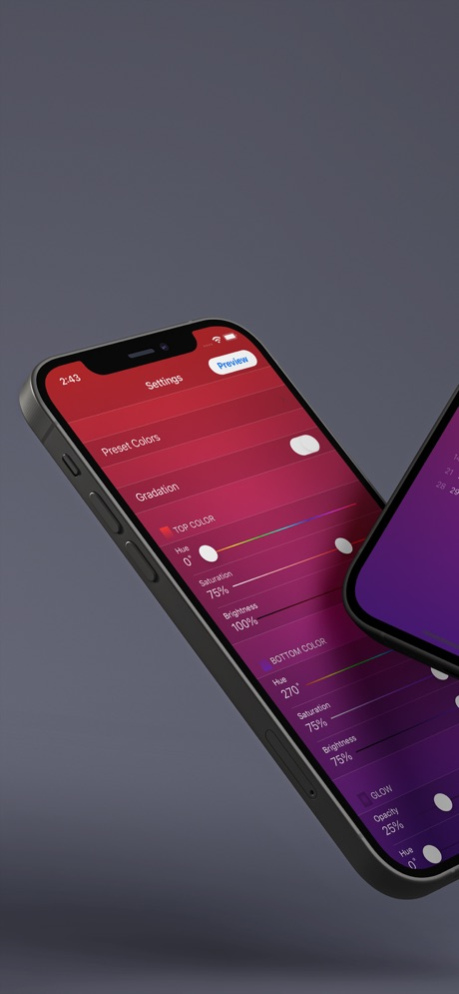
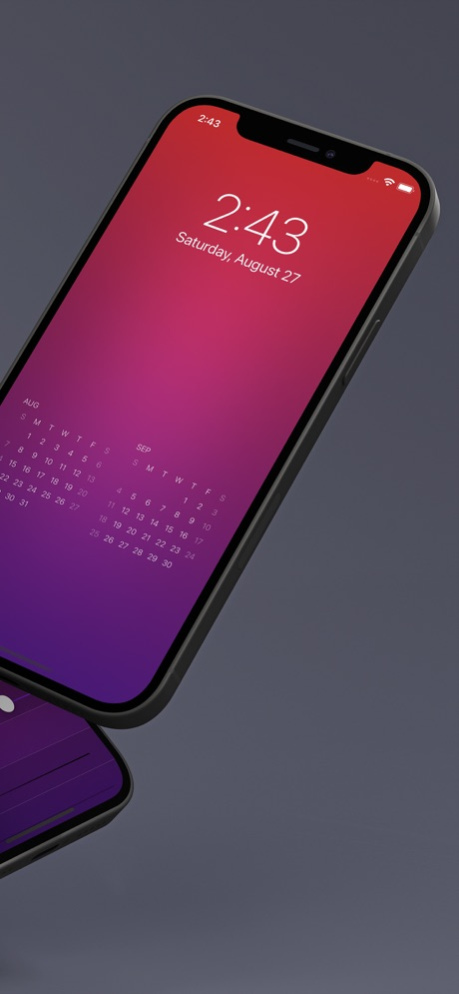
Create beautiful wallpapers with 40 preset colors and customizable color settings.
Add a calendar for up to two months to your Lock Screen or Home Screen.
[Settings]
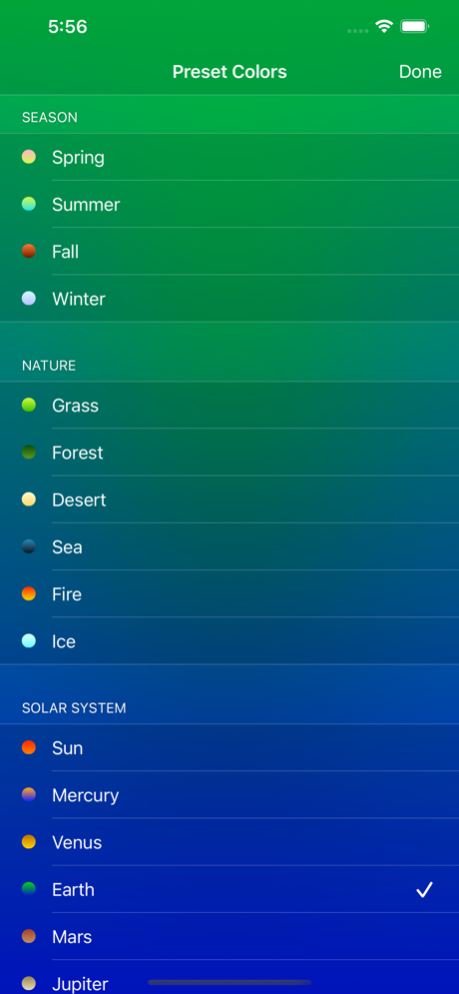
● Preset Colors
Choose from 40 preset colors in six categories: iPhone, Jewel, Sky, Season, Nature, and Solar System.
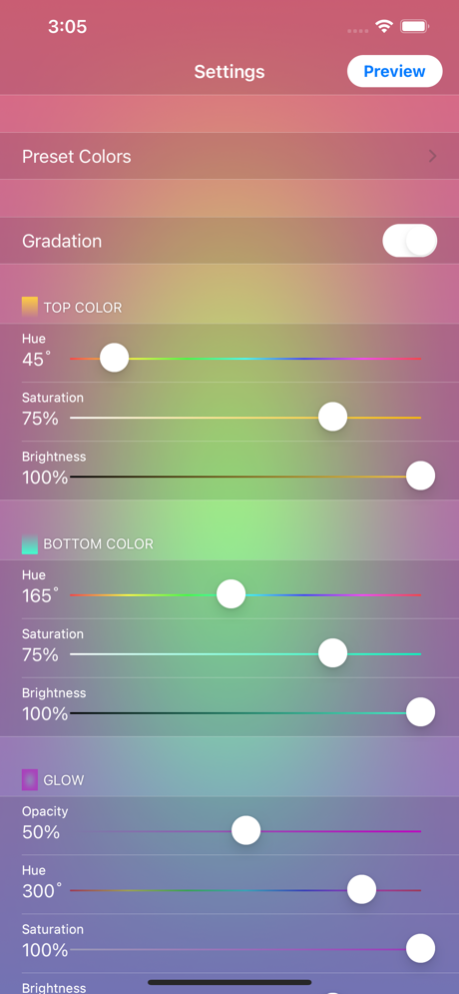
● Gradient
Turn on the gradient to blend colors from top to bottom. Turn it off to use a solid color.
● Top and Bottom Colors
Set the colors using hue, saturation, and brightness.
● Vignette
Set the color of the edge shading using opacity, hue, saturation, and brightness.
● Calendar
Choose the calendar duration (one or two months) and color (light or dark).
[Preview]
● Preview
Tap the Preview button in the upper-right corner of the settings screen to see how the wallpaper looks on your Lock Screen or Home Screen.
● Save Wallpaper
Tap the preview to save the wallpaper to Photos.
● Set Wallpaper
Set the wallpaper from the iPhone’s Settings > Wallpaper > Choose a New Wallpaper > Photos, or from the Photos app.
Version History • Updated for the latest version of iOS.
• Optimized app performance. 2.0.8 Sep 28 Bug fix 2.0.7 09/09/2022 Support for iOS 15.6.1 and iPhone 13 series 2.0.6 08/29/2022 Support for iOS 15.6 and iPhone 13 series 2.0.5 08/28/2022 Bug fix 2.0.4 02/17/2018 Bug fix 2.0.3 02/09/2018 Compatible with iPhone X 2.0.2 11/07/2017 Compatible with iOS 11 2.0.1 09/29/2017 Calendar can now be added to the wallpaper.
Added 40 types of preset color.
Color of vignetting can now be specified. 2.0 09/28/2017 bug fixes 1.0.2 08/13/2014 bug fixes 1.0.1 02/01/2014 1.0 10/30/2013
About BG Color
The company that develops BG Color is y-design. The latest version released by its developer is 2.0.8.
To install BG Color on your iOS device, just click the green Continue To App button above to start the installation process. The app is listed on our website since 2026-10-16 and was downloaded 4 times. We have already checked if the download link is safe, however for your own protection we recommend that you scan the downloaded app with your antivirus. Your antivirus may detect the BG Color as malware if the download link is broken.
How to install BG Color on your iOS device:
- Click on the Continue To App button on our website. This will redirect you to the App Store.
- Once the BG Color is shown in the iTunes listing of your iOS device, you can start its download and installation. Tap on the GET button to the right of the app to start downloading it.
- If you are not logged-in the iOS appstore app, you'll be prompted for your your Apple ID and/or password.
- After BG Color is downloaded, you'll see an INSTALL button to the right. Tap on it to start the actual installation of the iOS app.
- Once installation is finished you can tap on the OPEN button to start it. Its icon will also be added to your device home screen.
Program Details
System requirements
Download information
Pricing
Version History
version 2.0.8
posted on 2026-10-16
Version History • Updated for the latest version of iOS.
• Optimized app performance. 2.0.8 Sep 28 Bug fix 2.0.7 09/09/2022 Support for iOS 15.6.1 and iPhone 13 series 2.0.6 08/29/2022 Support for iOS 15.6 and iPhone 13 series 2.0.5 08/28/2022 Bug fix 2.0.4 02/17/2018 Bug fix 2.0.3 02/09/2018 Compatible with iPhone X 2.0.2 11/07/2017 Compatible with iOS 11 2.0.1 09/29/2017 Calendar can now be added to the wallpaper.
Added 40 types of preset color.
Color of vignetting can now be specified. 2.0 09/28/2017 bug fixes 1.0.2 08/13/2014 bug fixes 1.0.1 02/01/2014 1.0 10/30/2013
version 2.0.7
posted on 2022-09-09
Sep 9, 2022
Version 2.0.7
Bug fix
